
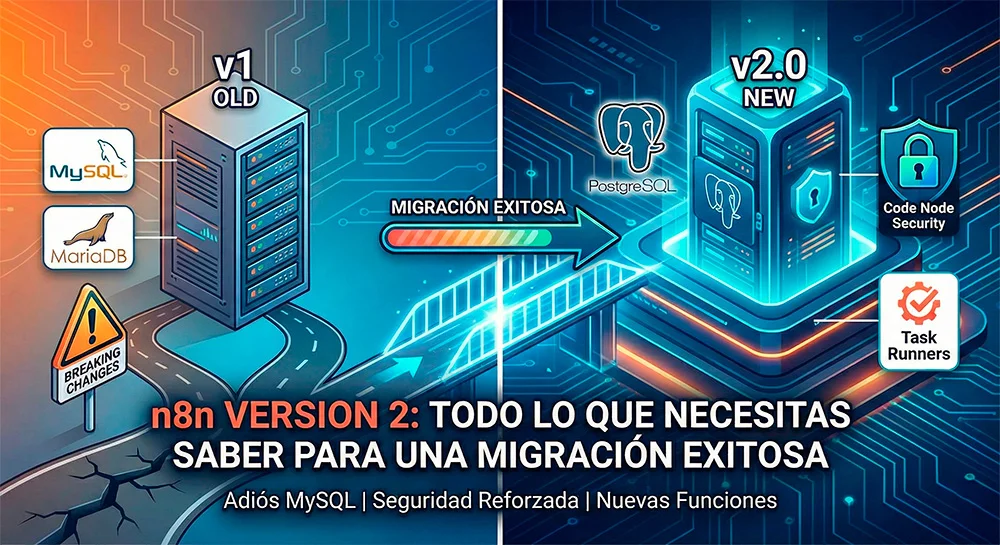
The automation world moves fast, and n8n has made a major leap with the release of version 2.0. This update isn't just cosmetic; it brings significant improvements in stability, performance, and security. However, like any major update, it includes "breaking changes" that require immediate attention if you want to keep your workflows operational.
If you're managing a production n8n instance, it's crucial to understand what changes and how it affects you. Below, we summarize the critical points of this migration.
1. Goodbye to MySQL and MariaDB as System Database
This is perhaps the most impactful change for many self-hosted installations. In version 2, n8n has removed support for MySQL and MariaDB as backend databases (where n8n stores its executions, workflows, and credentials).
- The change: Now, the only officially supported options are PostgreSQL (recommended for production) and SQLite (for testing or very light loads).
- The implication: If your current instance runs on MySQL, you'll need to migrate your data to Postgres before updating, or you'll lose your history and configurations.
2. Enhanced Security in the "Code" Node
Security has been a central pillar in this version. Previously, the Code node could freely access environment variables. In v2, this has been restricted to prevent accidental information leaks.
- The change: Access to environment variables from the Code node is blocked by default.
- The solution: You'll need to explicitly configure which variables can be read or adapt your scripts to handle credentials more securely.
3. Changes in Python Execution
If you use Python within your workflows, pay attention. The implementation based on Pyodide has been removed.
- The change: n8n v2 relies on Task Runners (enabled by default) to execute code, which offers superior isolation and performance, but changes how dependencies and external script execution are managed.
4. File and Command Management
To protect the server hosting n8n, default permissions have been tightened:
- The Execute Command and Local File Trigger nodes now come disabled by default. If your workflows depend on shell scripts or monitoring local folders, you'll need to manually reactivate them via environment variables.
- The in-memory binary data mode has been removed. This is excellent news for performance, as it prevents the server from crashing when processing large files, forcing more efficient disk handling.
5. End of Test Tunnel (--tunnel)
The quick n8n --tunnel option, widely used to expose local webhooks during development, has been removed. You'll now need to configure your own tunnel (using tools like ngrok or Cloudflare Tunnel) if you need to expose your local instance to the internet.
Why is it Vital to Plan Your Migration?
Updating blindly to version 2.0 can stop your critical automations. Database migration and code node review require a solid technical strategy to ensure no data loss or service interruption.
The stability and new features of v2 are worth it, but the path must be traveled carefully.
Need Help with Migration?
We know that migrating databases and refactoring complex workflows can be a headache and a risk to your daily operations. You don't have to do it alone.
At DigitalCube, we are experts in automation and workflow orchestration. We can audit your current installation and execute the transition to n8n v2 safely and efficiently.
Schedule a Discovery Workshop with DigitalCube
Frequently Asked Questions (FAQ)
What major changes does n8n v2 bring?
n8n version 2.0 introduces significant changes: removal of MySQL/MariaDB support (only PostgreSQL and SQLite), security restrictions in the Code node, changes in Python execution, and default disabling of nodes like Execute Command and Local File Trigger.
Can I upgrade directly from n8n v1 to v2?
It's not recommended to upgrade directly without planning. If you use MySQL, you'll need to migrate to PostgreSQL first. Additionally, you'll need to review and adapt workflows that use Code nodes, Python, or system commands.
What happens to my existing workflows in n8n v2?
Most of your workflows will continue to work, but those that depend on removed or restricted features (such as access to environment variables from Code, Pyodide, or system commands) will require modifications.
Is it safe to migrate to n8n v2 in production?
Yes, but it requires careful planning. We recommend doing a complete audit of your installation, testing the migration in a staging environment, and having a rollback plan before updating production.
Do I need advanced technical knowledge to migrate?
It depends on the complexity of your installation. If you have simple workflows and use SQLite, the migration can be straightforward. However, if you use MySQL, have complex workflows with custom code, or depend on removed features, it's advisable to have specialized technical assistance.