
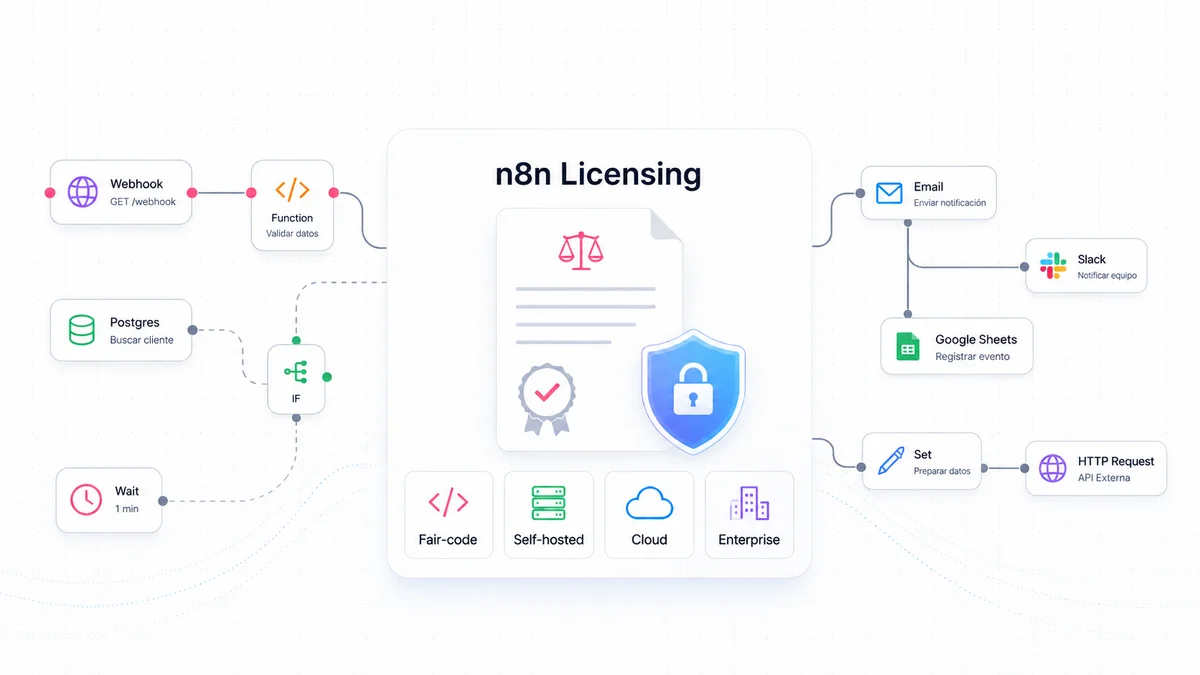
n8n has become one of the most widely used automation platforms for technical teams that need to connect APIs, orchestrate internal processes, integrate SaaS services and build workflows with artificial intelligence components. Its appeal is not limited to a visual automation interface. It combines a graphical editor with code execution, HTTP and GraphQL nodes, webhooks, API-based control, self-hosted installation, custom nodes and a broad ecosystem of integrations.
Its licensing model, however, often raises questions. n8n is not a fully closed SaaS product, because it can be installed on infrastructure controlled by the organization. It is also not classic open source, even though its code is publicly available. The most accurate way to understand it is as a source-available product under a fair-code model, with a community license for certain internal and non-commercial uses and commercial licenses for cloud, advanced self-hosted, Enterprise and OEM scenarios.
This article explains which license n8n uses, what the Sustainable Use License implies, which free options are available, which paid plans exist, what each plan includes and which options are provisioned in n8n Cloud compared with those that can be installed on premise or on infrastructure controlled by the organization. It is not a substitute for legal review, but it provides a technical and practical reading for architecture, DevOps, data, automation and product teams.
1. What type of licensing does n8n use?
n8n mainly uses two licensing frameworks: the Sustainable Use License and the n8n Enterprise License. Both are linked to the fair-code model. In practical terms, this means that n8n keeps the code visible and allows its use and modification in specific contexts, while restricting certain commercial uses that could turn n8n into the basis of a competing product, a third-party hosted service or a white-label solution sold to end customers.
The Sustainable Use License was created by n8n and applies to the main code in the public repository, with important exceptions. Code related to enterprise features and identified in files or directories with Enterprise markers is not covered by the community license and requires a valid Enterprise license. This distinction matters because the fact that a repository is public does not mean that all parts of the product can be used commercially without the appropriate license.
The license grants broad rights to use, copy, distribute, make available and prepare derivative works from the software, but those rights are subject to limitations. The most important limitation is that the use or modification must be for internal business purposes, personal use or non-commercial purposes. The license also allows free distribution for non-commercial purposes and requires license, copyright and trademark notices to be preserved. As a result, a company may use n8n internally to automate its own processes, but it may not exploit n8n as a commercial platform for third parties without a separate agreement.
For that reason, n8n is usually described as fair-code or source-available, not as OSI-approved open source. The difference is not merely semantic. Under a traditional open source license, the vendor cannot impose field-of-use restrictions: anyone can use, modify, redistribute and even commercialize the software as long as the license conditions are respected. With n8n, the code is available and can be self-hosted, but there are restrictions on commercial exploitation. For technical teams, this provides transparency and flexibility. For legal and procurement teams, it requires correct classification.
2. Practical implications of the fair-code license
The Sustainable Use License allows most internal scenarios that a company typically needs. For example, an organization may install n8n on its own servers to synchronize CRM data with an internal database, send operational alerts, automate approvals, connect forms to internal systems, run lightweight ETL processes, integrate support tools or build AI workflows for corporate use. It may also create nodes for its own products, develop internal integrations and hire consultancy services to deploy or maintain n8n inside its environment.
The restriction appears when the commercial value offered to third parties derives fully or substantially from n8n functionality. Two common examples are hosting n8n and charging users for access to that instance, or white-labelling n8n and selling it as a proprietary platform. These are not simple internal uses: they turn n8n into a central part of a commercial offer to external customers. Those scenarios require a specific commercial agreement with n8n.
There are also nuances when n8n is used as a backend inside a product. If a proprietary application calls n8n workflows through webhooks or APIs, and the end user does not interact with the n8n interface or provide their own credentials to power processes in that application, the scenario is closer to internal infrastructure use. However, if the product collects end-user credentials, uses n8n to process their data and offers that capability as part of a commercial service, the interpretation changes and the use may fall outside the scope permitted by the community license.
From an architecture perspective, the recommended reading is straightforward: n8n Community can be a powerful option for internal automation, labs, testing and technical environments. But if the product is sold to third parties, if the n8n interface is exposed to customers, if n8n is offered as a managed service, or if it is packaged as a white-label solution, the free license should not be assumed to cover the case. In those scenarios, Enterprise, OEM or a specific commercial agreement should be assessed.
3. Free licenses and options
n8n offers two main free routes: the n8n Cloud free trial and the self-hosted Community Edition. In addition, the Community Edition can be registered free of charge to unlock some additional features. Each free option has a different purpose, so they should not be treated as equivalent.
The n8n Cloud free trial is designed to evaluate the platform without installing infrastructure. It allows teams to enter the editor quickly, create workflows, test integrations and validate whether the automation model fits their processes. Starter and Pro trials provide access to Pro features, but with Starter limits: limited concurrent executions, limited memory and CPU, a defined execution volume and a reduced number of AI Workflow Builder credits. Starter and Pro trials do not require a credit card. The Business trial provides access to Business features for 14 days, but requires a card.
This free trial is appropriate for a functional evaluation, an internal demonstration or validation of a specific use case. It should not be treated as a permanent free production environment. Its execution, resource and duration limits are designed for evaluation, not for operating critical processes over the long term.
The Community Edition is the free self-hosted version. It is installed on infrastructure owned or controlled by the organization, such as a virtual machine, a Docker container, Kubernetes, an internal server or a private cloud. Without a license key, a self-hosted installation runs as Community Edition. This edition includes a large part of the n8n base product and allows users to create workflows, use integrations, run nodes, work with webhooks, call APIs and automate internal processes.
Its limitations appear in governance, collaboration, advanced security and enterprise scaling. The Community Edition does not include, among other features, custom variables, separate environments, external secrets, external storage for binary data, log streaming, multi-main mode, projects, SSO through SAML or LDAP, advanced workflow and credential sharing, or Git-based versioning. Although Queue mode is available, the most complete enterprise capabilities for high availability, governance and observability are reserved for commercial plans.
The Registered Community Edition adds another free layer. By registering the instance with an email address, the user receives a key that unlocks features such as folders to organise workflows, debug in editor and custom execution data. This free key does not turn the instance into Enterprise and does not remove the main collaboration or security limitations, but it is useful for teams that want to keep a free deployment while improving organization and debugging.
4. Paid licenses and what each one includes
n8n's public commercial plans are structured around monthly workflow executions. This metric is important: n8n does not charge for every individual step in a flow or for every user. An execution is a complete workflow run, regardless of the number of steps. In addition, the public plans include unlimited users, workflows and integrations, although each plan imposes different limits on executions, concurrency, shared projects, retention, support and governance.
Starter is the entry-level cloud plan. It is hosted by n8n and is aimed at users who are getting started or at low-complexity automations. In the public information consulted, it includes 2,500 monthly executions, 1 shared project, 5 concurrent executions, unlimited users, 50 AI Workflow Builder credits and forum support. Its main advantage is that it avoids operating servers. Its main limitation is that it does not provide the collaboration, governance, retention and administration capabilities usually required in more demanding production environments.
Pro is also provisioned in n8n Cloud and is designed for individual builders or small teams that already run workflows in production. It includes 10,000 monthly executions, 3 shared projects, 20 concurrent executions, 7 days of insights, 150 AI Workflow Builder credits, admin roles, global variables, workflow history and execution search. It is a natural step when Starter becomes insufficient because of volume, traceability or administration needs.
Business is a paid self-hosted plan. It is aimed at companies that need collaboration and scale, especially organizations with fewer than 100 employees according to n8n's commercial description. It includes 40,000 monthly executions, 6 shared projects, SSO with SAML and LDAP, 30 days of insights, separate environments, scaling options, Git-based version control and forum support. It is the logical alternative for organizations that do not want to depend on n8n's managed cloud but need more governance than Community Edition provides.
Enterprise is the highest-level plan. It can be hosted by n8n or deployed self-hosted, and it is priced through commercial contact. It includes a customized number of executions, unlimited shared projects, more than 200 concurrent executions, 365 days of insights, integration with external secret stores, log streaming, extended retention, dedicated support with an SLA and invoice billing. In the cloud version, it also adds AI Workflow Builder credits. It is aimed at organizations with strict requirements for compliance, governance, security, observability, high concurrency or contractual support.
In addition to these plans, there is an OEM option. It should not be confused with a standard license for internal use. OEM is intended for products that want to embed or expose the n8n interface inside their own solution, so that end users can create workflows, configure connections and run automations from that product. This scenario requires a specific commercial agreement. If n8n is used only as a non-visible backend invoked by APIs or webhooks, the case may be treated differently, but when the n8n interface is a visible part of the final product, OEM is the appropriate route.
5. Cloud, self-hosted and on premise: where each option is provisioned
The deployment decision is as important as the license. n8n Cloud reduces the operational burden: n8n manages the infrastructure, hosting, part of the platform administration and the baseline availability of the service. This option is a good fit when the team wants to focus on building workflows rather than administering servers, databases, updates, backups, certificates, scaling or monitoring. Starter and Pro are provisioned exclusively as plans hosted by n8n. Enterprise can also be purchased as a managed cloud option.
Self-hosting, by contrast, shifts operational responsibility to the organization. Community Edition, Registered Community Edition, Business and self-hosted Enterprise can be installed on infrastructure owned or controlled by the organization. In practice, self-hosted can mean a physical on-premise environment, a corporate data centre, a VPC in a public cloud, Kubernetes, Docker Compose or a virtual machine managed by the internal team. The key point is not only the physical location, but who controls the infrastructure, network, database, backups, updates and security posture.
n8n warns that self-hosting the platform requires technical knowledge. Teams must configure servers and containers, manage resources, scale the platform, protect the application, configure environment variables, secure credentials, maintain the database, apply updates and design recovery policies. Poor configuration can lead to data loss, downtime or security issues. For this reason, n8n Cloud may be more reasonable for teams without experience operating services, even if the free Community Edition is attractive.
In paid self-hosted deployments, there is an additional aspect: the Business or Enterprise license key must contact n8n's license server to remain active and report usage information, such as production executions. In addition, the same key can be applied to several instances, but combined consumption counts against the contracted quota. This is important for architectures with development, staging, production or multiple teams, because the instance design must align with the consumption and governance model.
6. Summary of options by deployment type
The following table summarizes the main alternatives from the point of view of license, operation and provisioning.
| Option | License or plan type | Provisioning | Typical use |
|---|---|---|---|
| Free trial Cloud | Temporary free option | n8n Cloud | Initial evaluation, functional testing and demonstrations. |
| Starter | Paid cloud plan | n8n Cloud | Simple automations, first production use cases and teams that do not want to operate infrastructure. |
| Pro | Paid cloud plan | n8n Cloud | Small teams with production workflows, higher concurrency and basic administration needs. |
| Community Edition | Free | Self-hosted / on premise | Internal automation, labs, technical testing and own deployments without advanced enterprise features. |
| Registered Community Edition | Free with key | Self-hosted / on premise | Community Edition with additional organization and debugging features. |
| Business | Paid self-hosted plan | Self-hosted / on premise | Companies that need SSO, environments, Git versioning, collaboration and stronger governance. |
| Enterprise | Commercial paid plan | n8n Cloud or self-hosted / on premise | Organizations with strict requirements for security, compliance, observability, support and scaling. |
| OEM | Specific commercial agreement | Embedded in own product | Products that expose the n8n interface or capabilities to end users. |
7. How to choose the right option
For personal use, technical tests, labs, low-risk internal automation or small teams with the ability to administer servers, the Registered Community Edition is usually sufficient. It provides access to a functional, free and self-hosted platform, with some improvements for organization and debugging. The trade-off is that the team assumes the full operational burden and gives up advanced governance, SSO, project, Git, external secret and dedicated support features.
For teams that are getting started and prefer to avoid infrastructure, Starter is the simplest cloud option. It is appropriate for prototypes, small automations or non-critical workloads. When the team needs more concurrency, more shared projects, administration, global variables, workflow history and execution search, Pro provides a stronger foundation for light production use.
For companies that need to control infrastructure because of data, security or internal integration policies, Business self-hosted is the commercial entry point. Its value lies in combining own deployment with collaboration, SSO, environments and Git versioning. This is often decisive when n8n stops being an individual tool and becomes a platform shared by several teams.
Enterprise should be evaluated when n8n supports critical processes or when there are requirements for compliance, auditability, observability, SLA-backed support, integration with secret managers, multiple teams, high concurrency or complex deployments. It is also the option that provides the greatest deployment flexibility, because it can be provisioned as managed cloud or in self-hosted mode.
Finally, if the intention is to sell a product that exposes n8n to end users, the conversation should not focus on Community, Starter or Pro, but on OEM or a specific commercial agreement. The main boundary is whether n8n is used internally to automate the organization's own processes or whether it becomes part of the value sold to third parties.
Conclusion
n8n licensing is flexible, but it should not be simplified as free open source. Its fair-code model offers many technical advantages: visible code, the possibility of self-hosting, extensibility, deep integration with proprietary infrastructure and a functional community edition. At the same time, it imposes clear limits on certain commercial uses, especially third-party hosting, white-labelling, resale, exposure of the interface to customers or exploitation of n8n as a substantial component of a commercial product.
The correct choice depends on four variables: purpose of use, deployment model, required level of governance and relationship with external users. Community and Registered Community fit free internal self-hosted use. Starter and Pro cover managed cloud for small teams or light production. Business covers enterprise self-hosted deployment with collaboration and control. Enterprise covers cloud or advanced self-hosted deployment for organizations with strict requirements. OEM covers embedded or commercial scenarios aimed at third parties.
For a technical team, the practical recommendation is to start with the use case rather than the price. If the workflow automates internal processes and the team can operate the platform, Community may be sufficient. If the team wants to reduce the operational burden, n8n Cloud is more direct. If n8n will become a shared production component, Business or Enterprise should be evaluated. If the value is offered to external customers, the license should be reviewed before building the product on an incorrect assumption.
More licensing information on the n8n website
Written: May 2026.